Browser Extension

Read distraction free, on any site.

Reader Mode strips out ads, sidebars and clutter, and gives you a clean article view with themes, adjustable width, and one-click PDF export.

4.7★ average rating No tracking, no ads Manifest V3
en.wikipedia.org/wiki/Artificial_intelligence
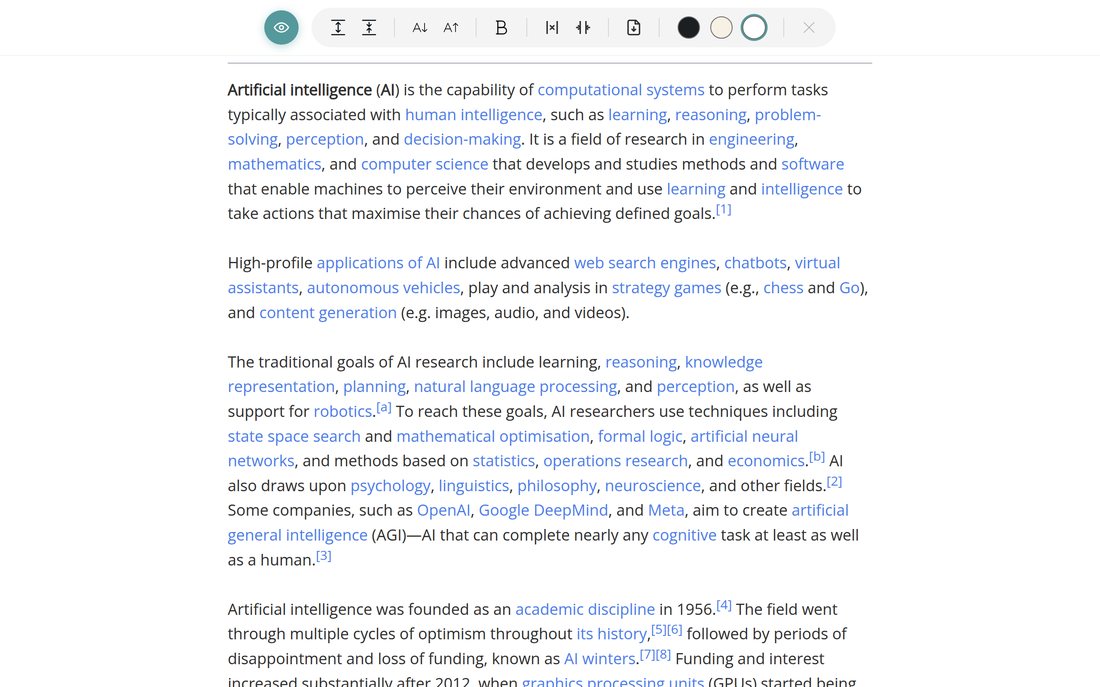
Reader Mode showing a clean article view
Features

Everything you need to read comfortably

Six controls, all in one toolbar — no settings menu to dig through.

NEW

Hide the toolbar in one tap

Tap the eye icon and the toolbar tucks away into a small floating button — nothing between you and the page.

NEW

One-click PDF export

Save any cleaned-up article as a PDF straight from the toolbar — no extra apps, no copy-pasting.

Adjustable reading width

Narrow the column for a comfortable line length, or widen it — two clicks, saved for next time.

Font size & line spacing

Fine-tune text size and spacing until the page feels like it was made for you.

Bold text toggle

Switch to a heavier weight for pages with thin, low-contrast type.

Dark, warm & light themes

Switch instantly between three built-in themes — easier on the eyes at night, sepia for long reads.

Before & after

Remove all distractions in one click

No ads, no sidebars, no clutter — just the article.

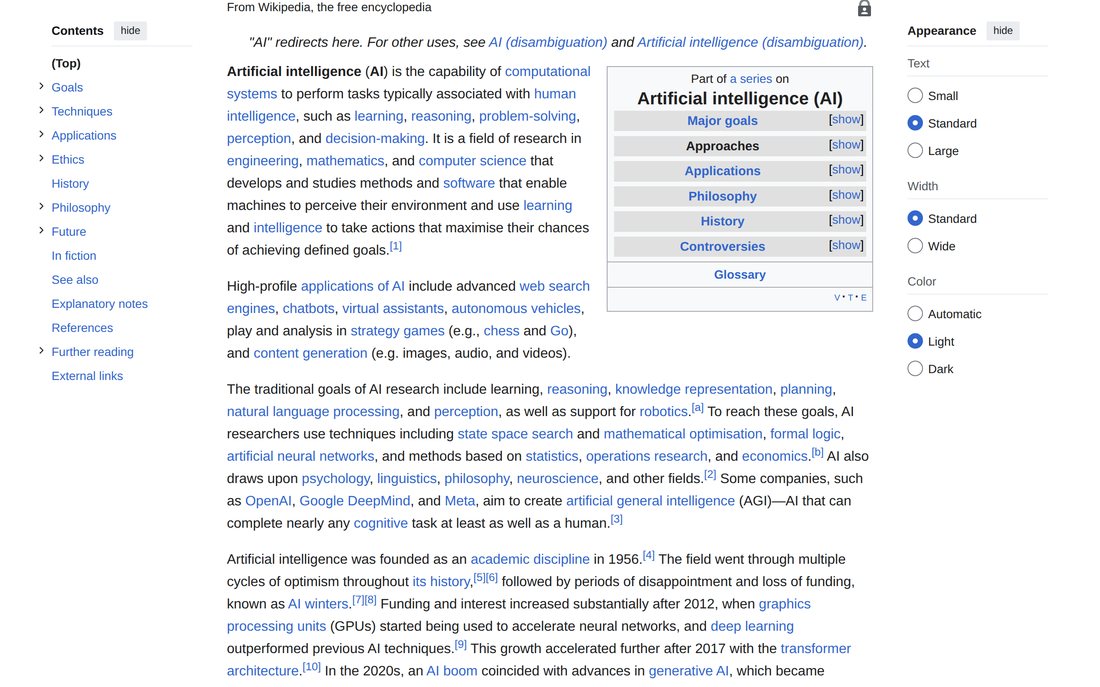
en.wikipedia.org/wiki/Artificial_intelligence
A regular Wikipedia page, full of sidebars and clutter
Before
en.wikipedia.org/wiki/Artificial_intelligence
The same page in Reader Mode, clean and readable
After
How it works

Up and running in ten seconds

1

Install the extension

Add Reader Mode from the Extension Store — free, no account needed.

2

Click the icon on any article

The page strips down to just the text, images, and headings — instantly.

3

Make it yours

Pick a theme, adjust the width and font, then read — or save it as a PDF for later.

Pricing

Try it free. Pay once if you like it.

Your first 10 articles are free — no card required. After that, unlock lifetime access for a single payment.

First 10 articles free for new users — no account, no card

Offer available to new users. Already using Reader Mode? Nothing changes for you.

FAQ

Frequently asked questions

Does it work on every website?

Reader Mode works on most article and blog-style pages. It extracts the main content — headline, body text and images — and leaves out navigation, ads and sidebars.

Does the extension collect my browsing data?

No. Reader Mode doesn't send your pages or browsing activity to any server. Your display preferences (theme, font size, width) are stored locally via your browser's own sync storage, tied to your Google account, and never leave that infrastructure.

How does the free trial work?

New users get their first 10 articles free, with full access to every feature — no account or card needed. After that, a one-time $4.99 payment unlocks lifetime access.

I already use Reader Mode — do I have to pay?

No. This offer applies to new installs going forward. If you installed Reader Mode before this change, nothing changes for you.

Can I export an article as a PDF?

Yes — the download icon in the toolbar opens your browser's native print dialog with the cleaned-up article pre-loaded; choose "Save as PDF" as the destination.

Is the $4.99 a one-time payment?

Yes. It's a single lifetime purchase — no subscription, no recurring charges, and it includes all future updates.
Need help or have questions?

We typically respond within 24 hours.

anton.shvecov92@gmail.com →